
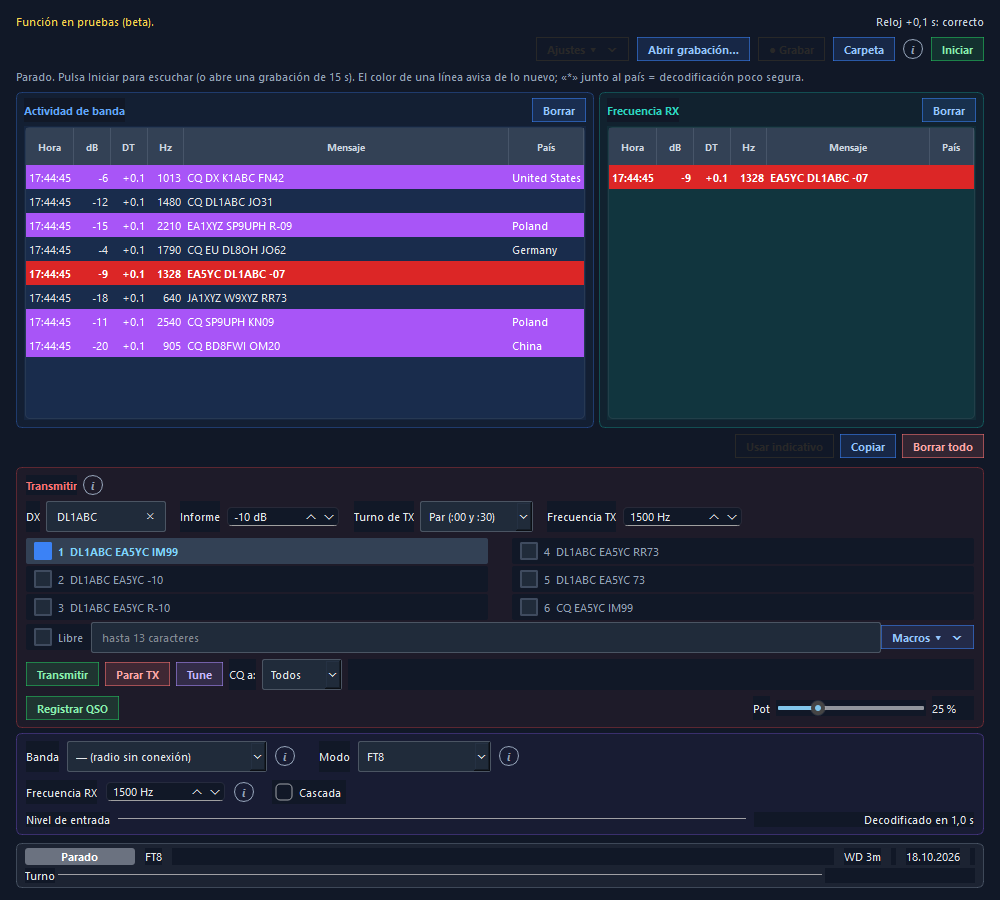
FT8 with automatic QSOs
It decodes with the decoder of the WSJT-X you already have installed and transmits with RadioLog's own encoder.
- Double-click a station and the sequencer (AutoSeq) runs the QSO: report, confirmation and 73.
- CQ and directed CQs (DX, NA, EU…), free-text macros and a band selector that changes your radio's frequency over CAT.
- Colours for new DXCC, zone, grid, prefix and callsign; a “Wanted” list; stations already worked struck through or hidden.
- Distance and bearing, filters and automatic QSO logging.
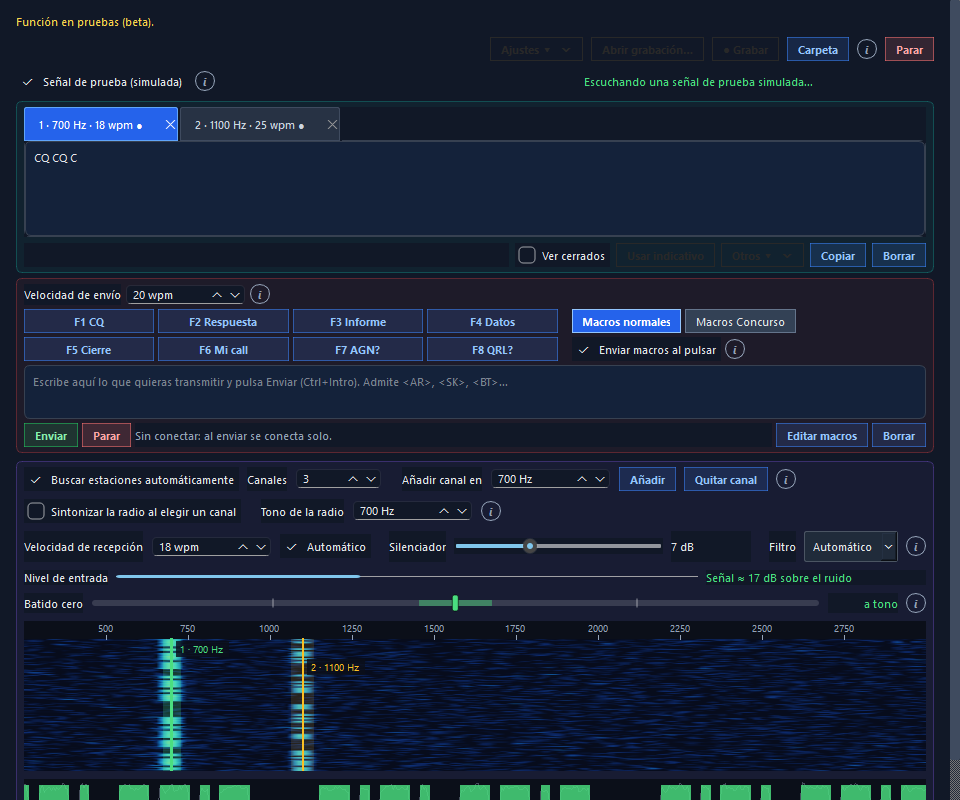
Several CW stations at once
- It finds the signals and opens a channel for each one, with its tone and speed.
- Zero beat: you see how far the station is from your tone, and RadioLog can tune the radio for you.
- Send text and F1–F8 macros, with an everyday set and a contest set.
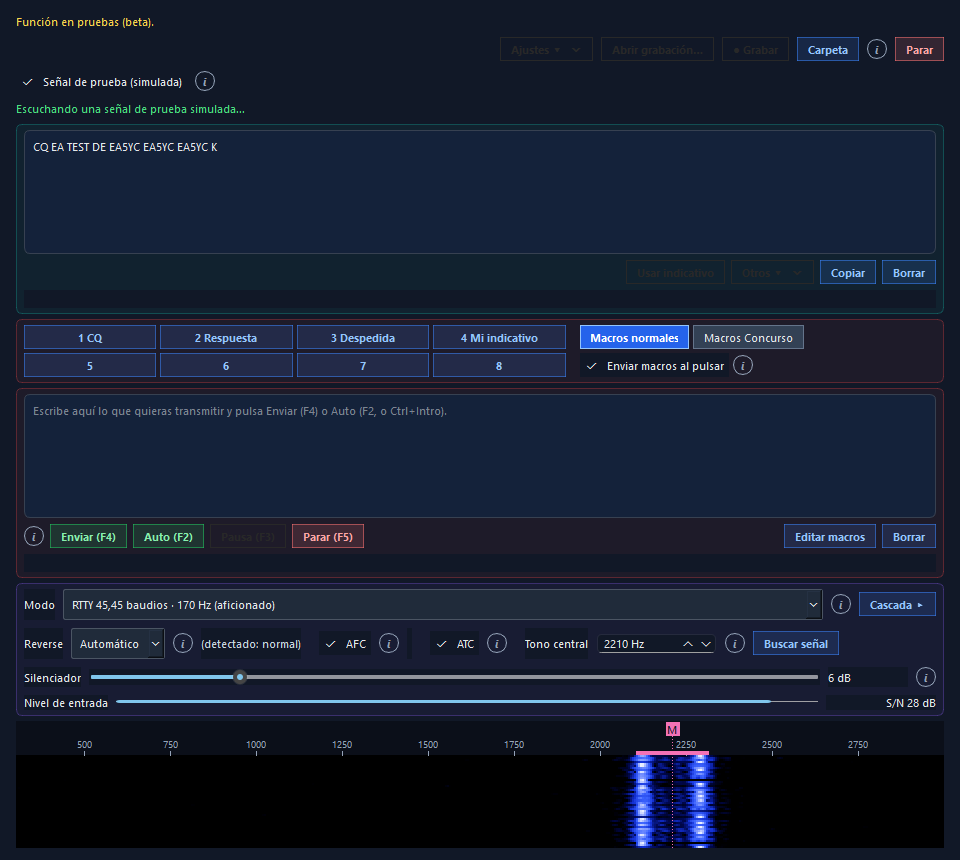
RTTY with waterfall and macros
- Decoder with AFC, optional ATC and automatic detection of inverted signals.
- Transmission with macros in banks, PTT and a continuous or automatic send key.
- Contest exchange in the QSO entry, saved and exported in ADIF.
What you need
- Sound cardThe one on your radio (USB Audio CODEC). Chosen in Settings → Digital Modes.
- PTTBy RTS, DTR, CAT or VOX, in Settings → Radio / CAT.
- For FT8: WSJT-X installedRadioLog uses its decoder; it does not include it.
- The clock on timeRadioLog can correct it by itself, without touching the Windows clock.
Step-by-step guide
Chapter 12 of the manual explains each Studio, the settings and troubleshooting.
Open the guideAnd more modes are coming
FT4 and other digital modes can already be used with WSJT-X or JTDX connected to RadioLog. More built-in modes will arrive in future versions.
Third-party acknowledgement. For reception and decoding, FT8 Studio uses the external executable jt9.exe from the WSJT-X project, developed by Joe Taylor (K1JT) and contributors under the GNU GPLv3 licence. RadioLog does not include or distribute that executable: WSJT-X has to be installed separately. The operating interface, transmit control and FT8 encoder/modulator of RadioLog are developed independently.
Try it, it's free
Windows 10 and 11, 64-bit. It installs in a minute and needs no registration.
⬇ Download RadioLog v4.1.1